Changelog
links
Proper link editor for the chatbot element
- 22.12.2025
- 10.571.49
- Feature Improvement
- LXT Authoring Changes for authors
- chatbot links link editor
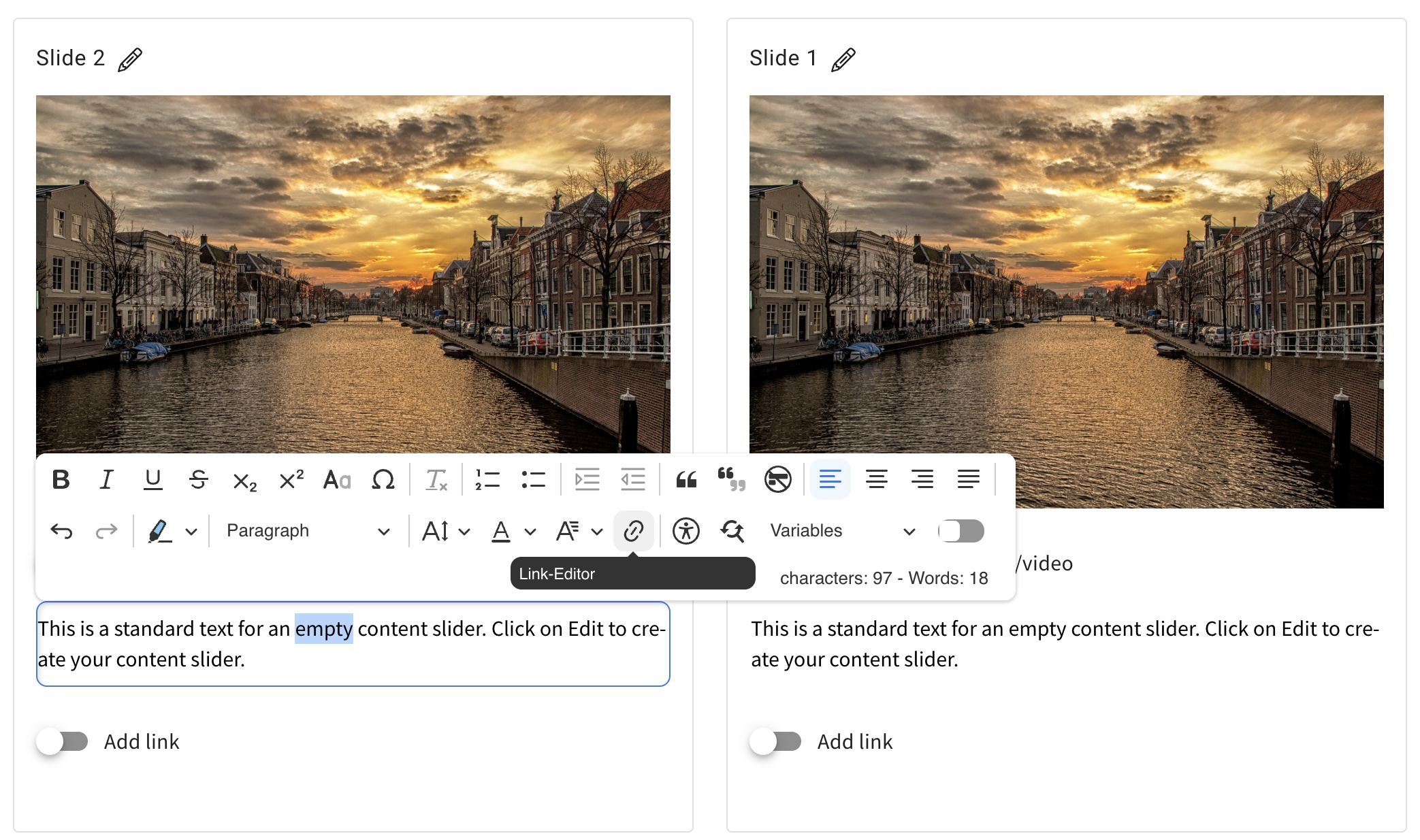
Now you can use a link editor within the chatbot element similar to the menu of our link/download element. This way the new menu provides familiar settings that are already known to the user.
Using links in a chatbot element can be beneficial when using internal links, for example referencing Learning Cards within a Learning Module.
Before this change, internal links didn’t work properly in the chatbot element once you exported the learning module as a SCORM and imported the SCORM into another LMS.
Start “Answer questions” and “Open test” via link element
- 10.11.2025
- 10.564.0
- Feature Improvement
- LXT Authoring Changes for authors
- links exam adaptive learning answer questions
You can now create link elements of the type ‘Action’ in learning modules and cards. The familiar functions ‘Open test’ and ‘Answer questions’ are available as actions.
Link editor: Mail link available
- 24.07.2025
- 10.507.0
- Feature Improvement
- LXT Authoring Changes for authors
- links email
If you previously wanted to create a mail link, this was only possible via the external link. And here you had to know the syntax (mailto…). Now we have simplified this by creating a new link type explicitly for emails.
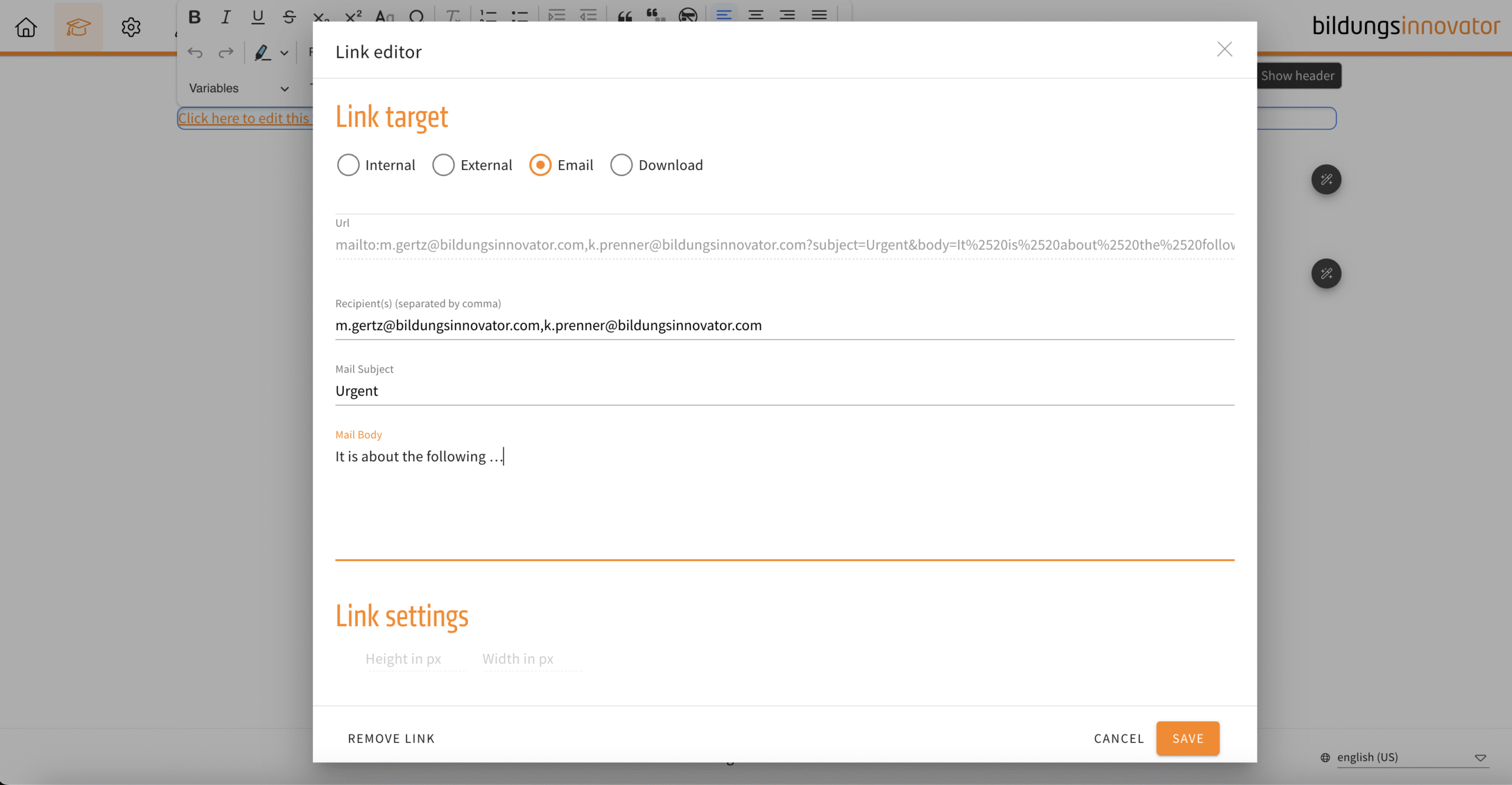
The following input fields are available:
- Recipient(s) (E-mail address, supports multiple recipients, separate with comma)
- Mail Subject
- Mail Body
Slideshow, flipcard, background switcher – inline links
- 24.07.2025
- 10.506.0
- Feature Improvement
- LXT Authoring Changes for authors
- slideshow Background Switcher flipcard links inline
From now on you can set links in continuous text. Previously, this was only possible at the end of a slide/card/line. You set links in the continuous text in the same way as in the text editor.