Changelog
Feature Improvement
Icon library available
- 18.09.2025
- 10.570.48
- Feature Improvement
- LXT Authoring Changes for authors
- icons library
When you upload a custom icon, you can decide whether it should be added to the library. If there are icons in the library, any author can select them via the new icon library tab. To remove icons deactivate the checkbox “Save the uploaded icon to the icon library. It becomes available to all users.”. Notice: Any author is able to deactivate the checkbox.
We may activate this feature for your installation: support@bildungsinnovator.com
Invite multiple reviewers at once
- 15.09.2025
- 10.543.0
- Feature Improvement
- LXT Authoring Changes for authors
- reviewer feedback process Content creation learning module
You can already invite reviewers directly in the learning module. We have made some improvements: You can now invite multiple reviewers at once by entering all email addresses and separating them with commas or semicolons.
AI labelling for video/audio and subtitles
- 15.09.2025
- 10.543.0
- Feature Improvement
- LXT Authoring Changes for authors
- Content-Elements Content creation AI
We have already mentioned the new feature notice on AI generated content. AI marking is now also available for video/audio elements. Here, you can also specify whether the text of the markup should include only the video/audio, only the subtitles, or both.
Overview over your subscriptions
- 05.09.2025
- 10.536.0
- Feature Improvement
- Changes for admins LXT Authoring LXT Engagement
- user management licences
The license view of the user management does now also show you the LXT subscriptions assigned to your system. If you have multiple subscriptions for the same user type (mostly relevant for author licences), this helps you to keep an eye on expiring subscriptions.
Remove the spacing between content and control center
- 03.09.2025
- Feature Improvement
- LXT Authoring Changes for authors
By default there is a blank space in between the control center on the learning module landing page and the content above it.
It is now possible to remove this blank space. This might be useful if both the content and the control center have a background.
You can see the new version without the space on the left hand and the old version on the right hand side.
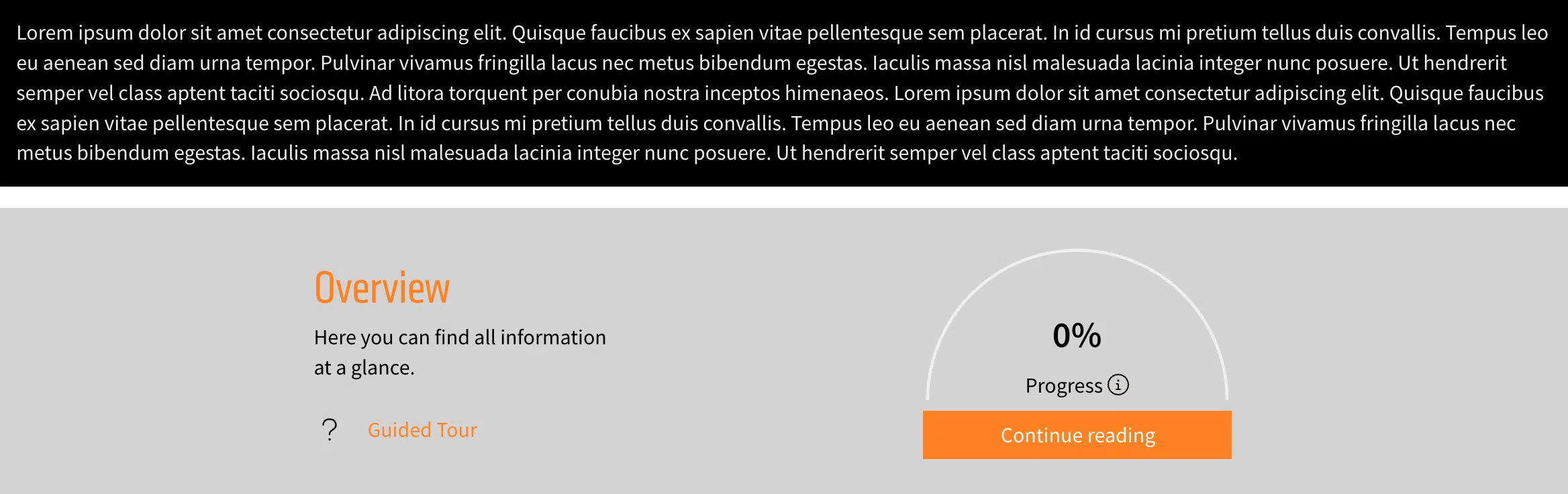
To remove the blank space, click the Appearance button (the magic wand) in the control center and then enable the option “Remove upper spacing”.
Improvements to the video layout
- 03.09.2025
- 10.531.0
- Feature Improvement
- LXT Authoring Changes for authors
We have done a few improvements on the video appearance.
Background of the controls
The video controls now have a dark background that fades out into the video.
Usage of the controls in small videos
We have improved the layout of the controls if the video has a small width. Previously the progress bar became quite small in some cases, now we are hiding other elements of the controls to allow full access to the progress bar.
Rounded corners for videos
In the style settings of a video (available using the magic wand in the green or orange menu) there is a new option “Rounded corners” that allows to set slightly or strongly rounded corners for the video itself.
Captions styled by LXT
The captions of videos are now styled by LXT itself. The previous version was provided by the browser and looked different depending on the browser used. This allows us more control and to ensure a good visibility of the captions.