Changelog
Appearance menu redesign
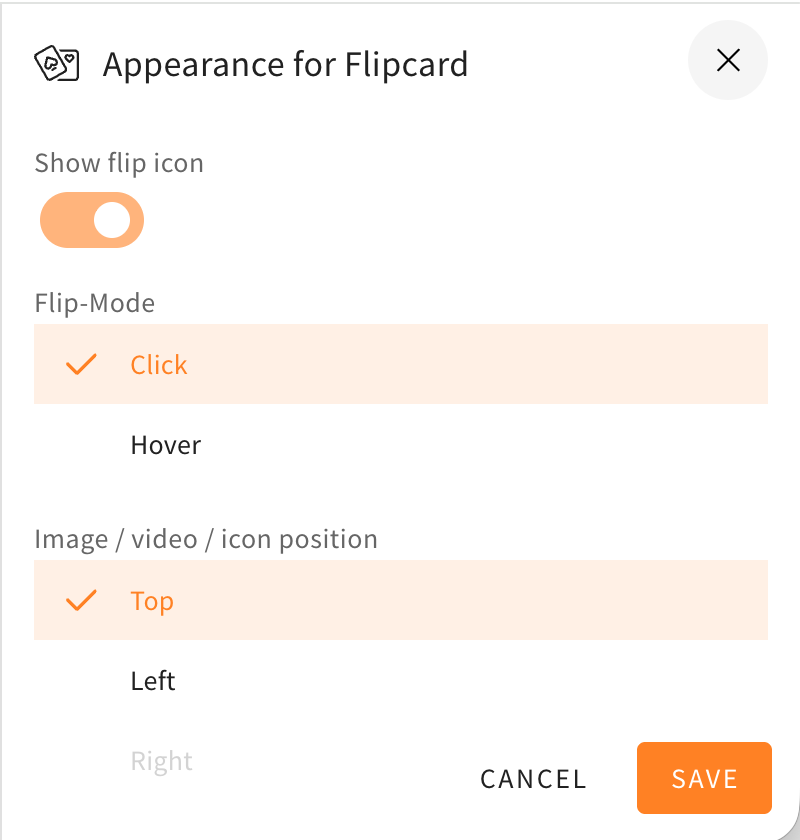
The style settings drawer, in which you can choose to change the appearance of different elements, rows, and others, got a redesign. The redesign will help to make the menu look more structured and orderly, because the toggles are now better grouped together and the UI is more compact. The style settings drawer will also now be colored and match the element/row actions at the corners of the elements or rows.
Here as an example you can see the style settings drawer of a flipcard before and after the changes described in this changelog.
Permission adjustment for the invite reviewer feature
On 28 August 2025, we introduced the ‘Inviting reviewers’ feature. This feature allows authors to quickly create reviewers. However, it also means that administrators lose control over user management. Our general authorisation and user management concept intends that only administrators or persons with access to user management should be able to create, edit and delete users. With this feature, we essentially gave all authors the permission to add any number of users (Reviewers) to the LXT platform.
Changes to the Sidebar
To make place for future features, we will be changing the layout of the sidebar menu.
The links tab depicted as a chain on the sidebar will no longer be found there. Instead, the links tab will from now on be found in the statistics tab depicted with the encircled “i” higher on the sidebar.
In the comparison below, you can see on the left where the links tab will be found from now on, as well as the new sidebar to the right. In the picture on the right, you can compare where the feature used to be.
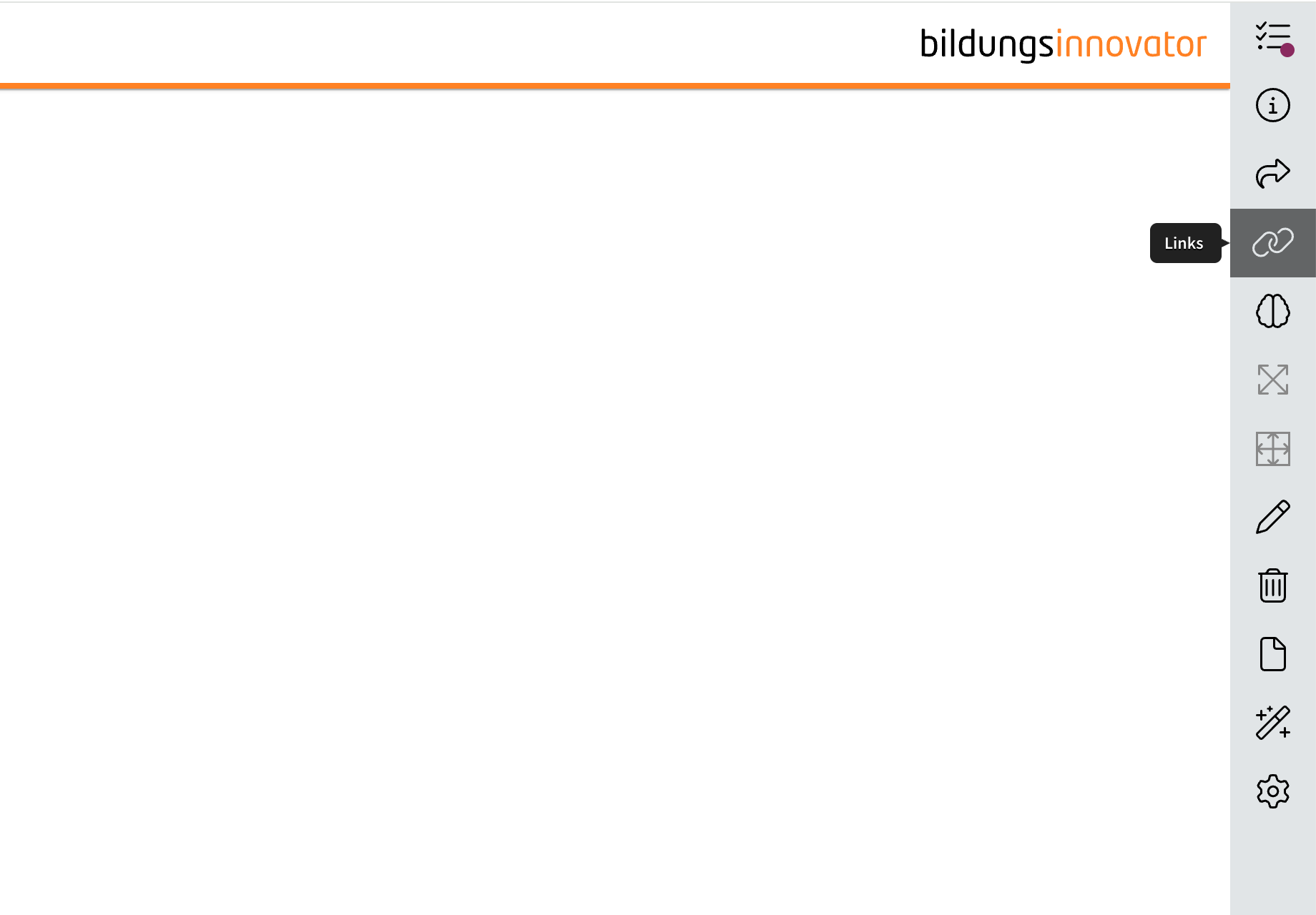
That way, when new tabs are added in the future to accommodate new features, the dimensions will remain the same while another feature is added to the sidebar.
AI text assistance: Creation of texts with didactic intent
If you have activated AI functions in your LXT, you can use the AI assistant to generate text for the text element. Here, you can now include the didactic intent based on our successful guide “The Didactic Architect.” Simply click on the appropriate didactic intent and generate a text.
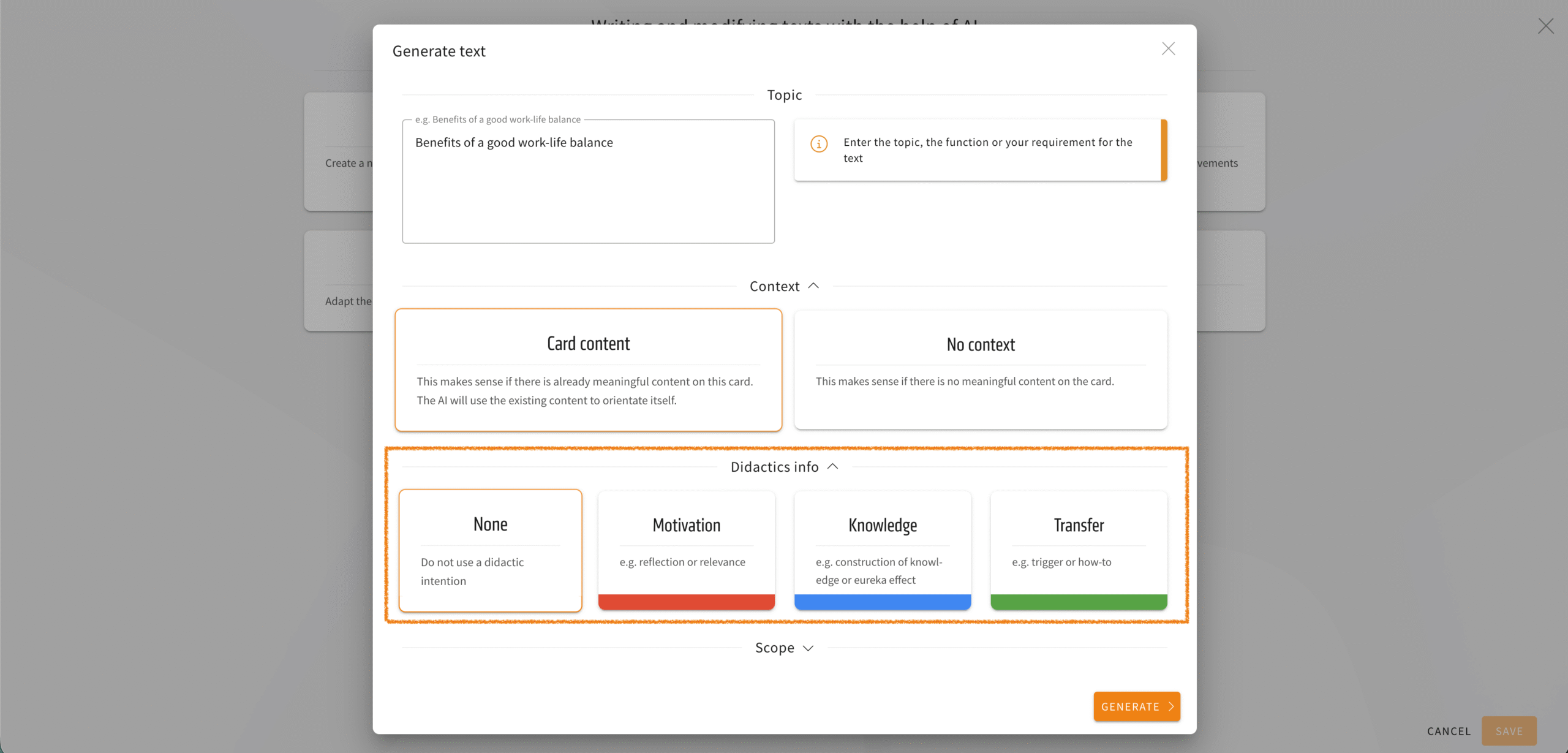
We have also made a cosmetic improvement to this menu: the individual options (context, didactics info, scope) can now be expanded or collapsed. This gives you a better overview.