Changelog
AI
Task management: Transcription of audio messages
This feature is only available if AI functionality is enabled in your setup.
If you got a task in our task management with an audio message, it is now possible to use AI to transcribe that message.
To do so, click the AI button next to the audio player. The transcription will then be added as an comment.

This feature does not yet work for audio messages within comments but will be added there as well.
Generating subtitles for videos and audios
This update is only available if you have AI enabled in your LXT setup. Please find more information on setting up AI in LXT here (in German).
You can now generate subtitles for your uploaded videos and audios using the AI. This eliminates the need for manual transcription work while making content accessible for all users.
Generated subtitles are also translated if you use either DeepL or XLIFF files for the translation process.
To generate subtitles you first need to upload the video or audio to LXT as usual. Afterwards hover over the element, click the cog wheel and then select the [cc] icon, opening the subtitle editor.
In the subtitle editor there is a new AI button beneath the media preview that starts the subtitle generation.
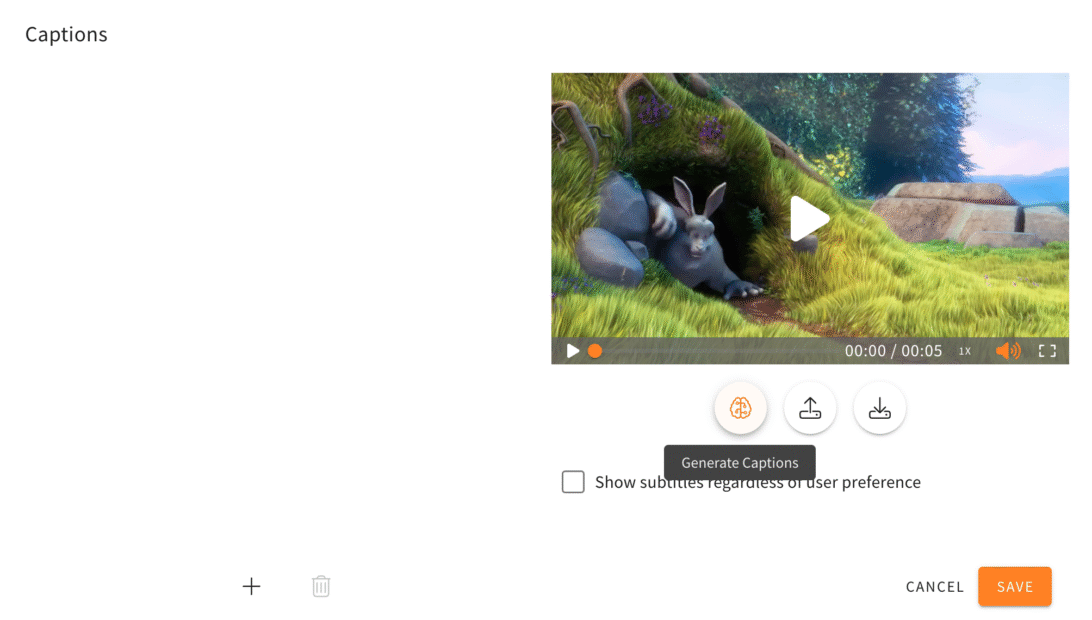
The generated subtitles and the time codes are imported into the subtitle editor and can be manually edited if necessary. Depending on the quality and complexity of the spoken language, a proofreading is recommended.
AI generation of additional quizzes
This update is only available if you have AI enabled in your LXT setup. Please find more information on setting up AI in LXT here (in German).
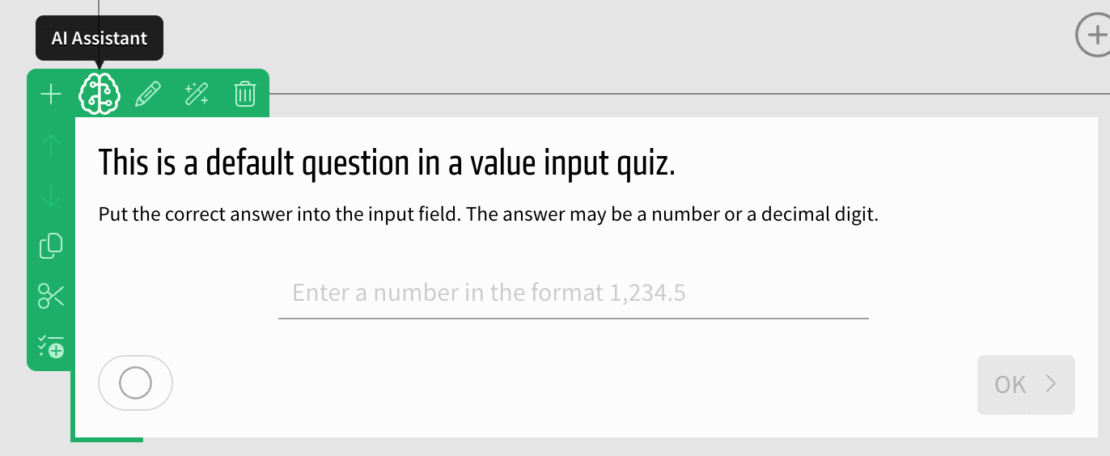
Use the AI to generate even more quizzes: Value input, value slider, date input and order quizzes can now automatically be generated.
To do so, create a quiz of one of these kinds, hover over it and select the “AI assistant” in the green or orange menu.