Changelog
Change
Additional AI markers
Additional options for the use of AI markers are being added.
More elements will now have the option to toggle an AI marker, which some elements already had as described in the other changelog about adding AI markers in general and the improvement of the toggle.
The following elements now have the AI marker toggle added:
- Chatbot
- Stage
- Interactive simulation
- Slideshow
- Background Switcher
- Flipcard
- Image comparison
The Slideshow, Background Switcher, and Flipcard will have a marker for each slide, which also adds the StyleSettings button to each slide. In the following example, you can see what the AI marker looks like when you add it to one picture in the slideshow and where you can find the menu to add it for each slide separately.
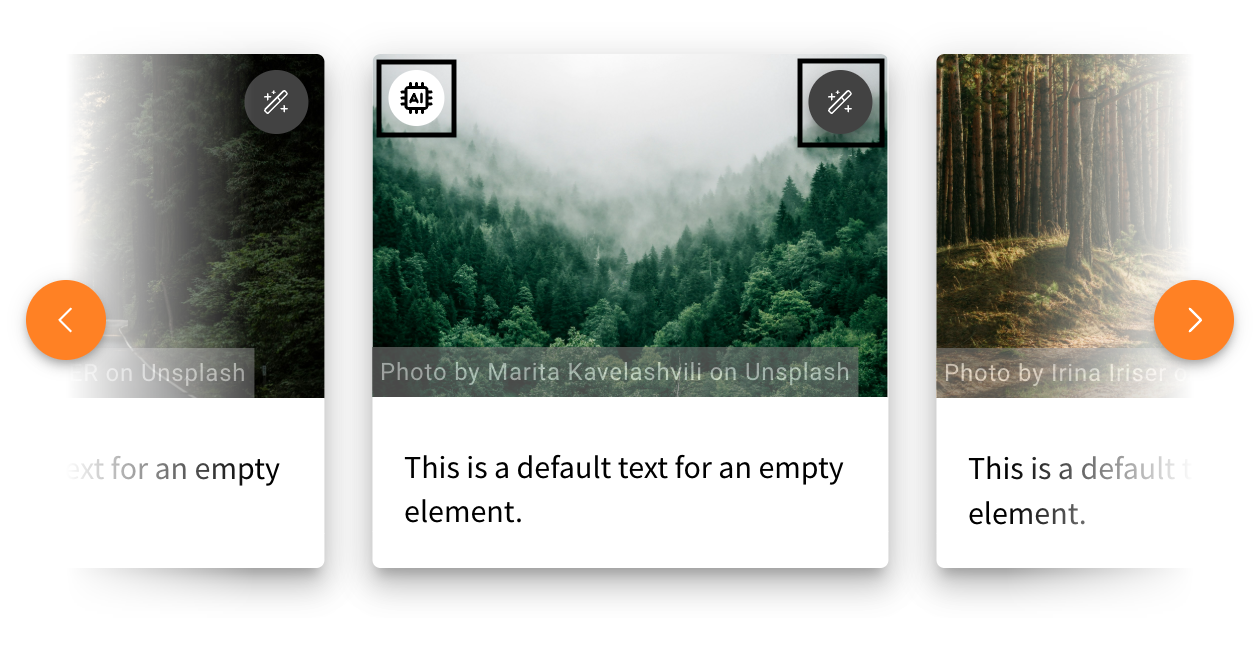
The Image Comparison will also have the toggle option to choose which image was created with the help of AI. This way, you can add the marker to the left or right image individually or add the marker to both.
In addition, background images of a row also have an AI marker toggle, as well as images used as a preview of cards.
Alternative navigation in the link element
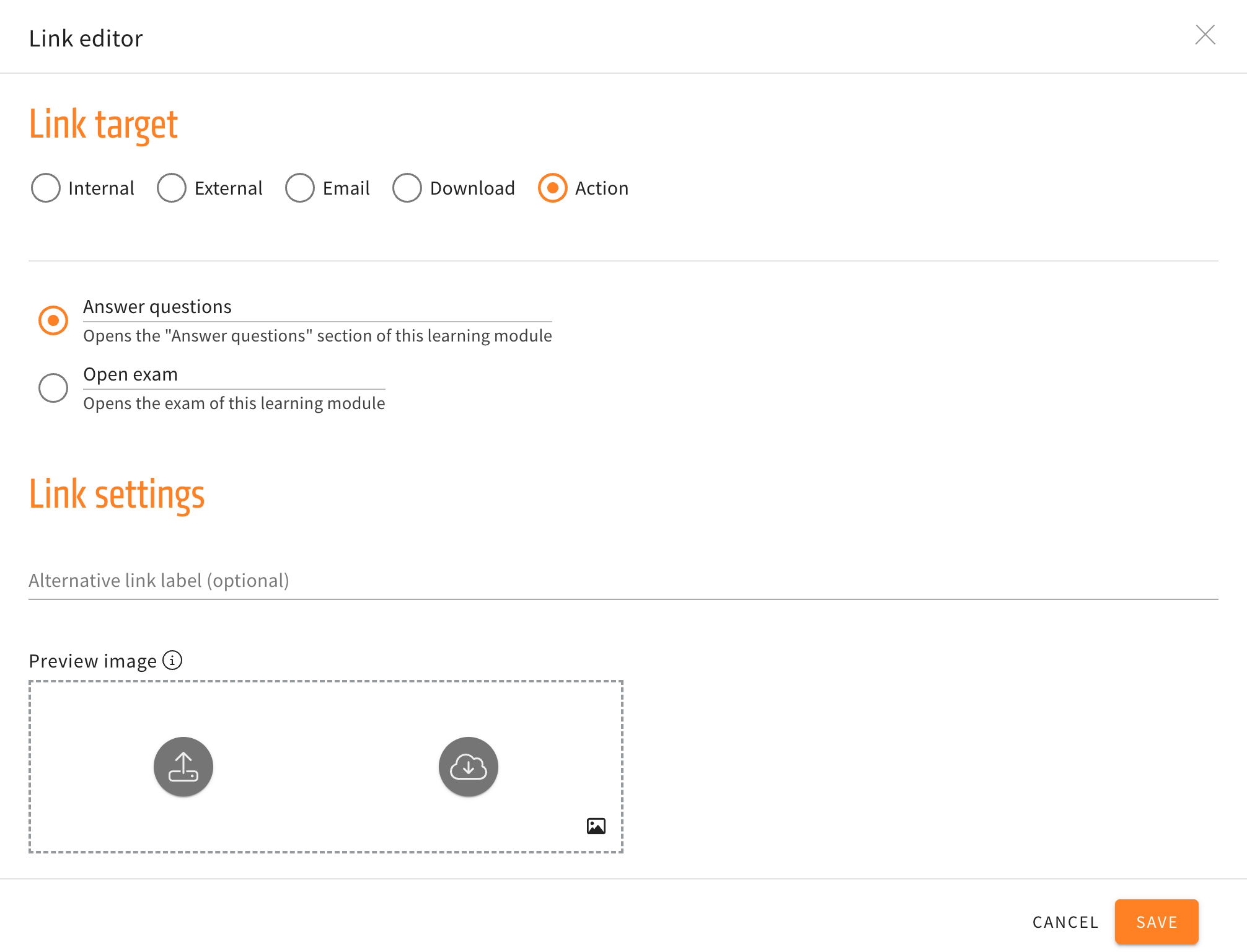
Three new options for actions are now available in the link element. The new actions will navigate the user to the introduction, the previous, or next card without having to use the buttons at the end of a card.
When creating and then editing a link element, the submenu for actions will no longer just have the options to directly open the “Answer questions” section or open the exam directly, but additionally have the three new navigation options mentioned above.
Permission adjustment for the invite reviewer feature
On 28 August 2025, we introduced the ‘Inviting reviewers’ feature. This feature allows authors to quickly create reviewers. However, it also means that administrators lose control over user management. Our general authorisation and user management concept intends that only administrators or persons with access to user management should be able to create, edit and delete users. With this feature, we essentially gave all authors the permission to add any number of users (Reviewers) to the LXT platform.
Changes to the Sidebar
To make place for future features, we will be changing the layout of the sidebar menu.
The links tab depicted as a chain on the sidebar will no longer be found there. Instead, the links tab will from now on be found in the statistics tab depicted with the encircled “i” higher on the sidebar.
In the comparison below, you can see on the left where the links tab will be found from now on, as well as the new sidebar to the right. In the picture on the right, you can compare where the feature used to be.
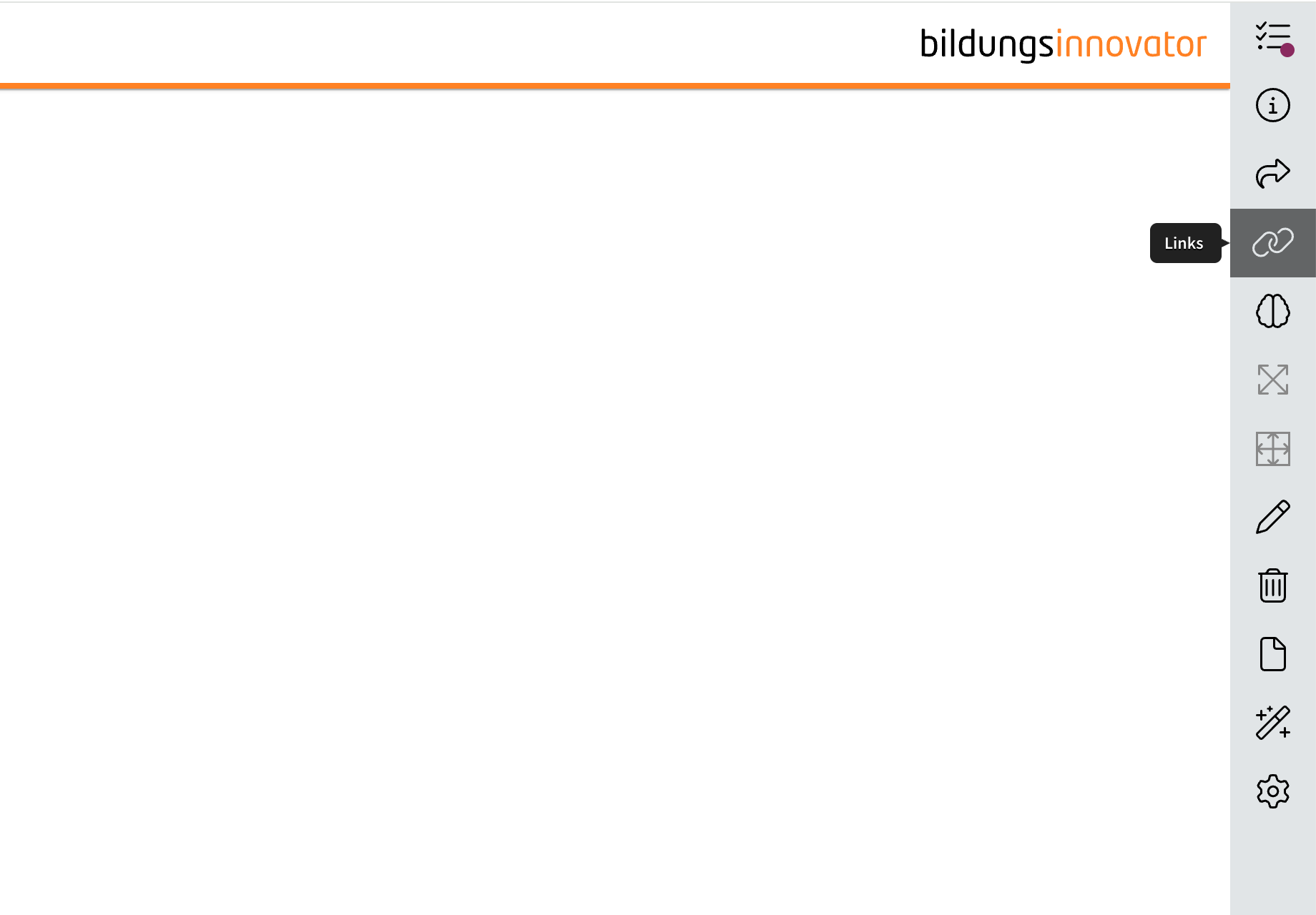
That way, when new tabs are added in the future to accommodate new features, the dimensions will remain the same while another feature is added to the sidebar.