Changelog
Feature Improvement
Choice quiz checkbox appearance
- 13.11.2025
- 10.566.0
- Feature Improvement
- LXT Authoring Changes for authors
- element quiz
Through a new toggle when editing the appearance of the “Choice text” and “Choice image” elements in the “Interactions” category, you can now manually set the checkboxes in selection quizzes to be square or round. The new feature works the same for online trainings and tests.
Start “Answer questions” and “Open test” via link element
- 10.11.2025
- 10.564.0
- Feature Improvement
- LXT Authoring Changes for authors
- links exam adaptive learning answer questions
You can now create link elements of the type ‘Action’ in learning modules and cards. The familiar functions ‘Open test’ and ‘Answer questions’ are available as actions.
Invite individual users without automatic email
- 10.11.2025
- 10.565.0
- Feature Improvement
- Changes for admins LXT Authoring LXT Engagement
- user invitation user management user creation
You have been able to create users with email notifications in user management for some time now. But it was not possible to customise the email beforehand. We have now developed a first solution for this.
Tests: Quizzes Order and Value Slider available
- 27.10.2025
- 10.558.0
- Feature Improvement
- LXT Authoring Changes for authors
- test value slider order Quizzes
Added support for ‘Order’ and ‘Value Slider’ quiz types in learning module tests.
Unlike previously available quiz types, these can be set to the correct answer by default (correct order selected or slider positioned at the correct value). Therefore, answers must be explicitly confirmed before being saved.
AI text assistance: Creation of texts with didactic intent
- 21.10.2025
- 10.554.0
- Feature Improvement
- LXT Authoring Changes for authors
- Text AI element text generator
If you have activated AI functions in your LXT, you can use the AI assistant to generate text for the text element. Here, you can now include the didactic intent based on our successful guide “The Didactic Architect.” Simply click on the appropriate didactic intent and generate a text.
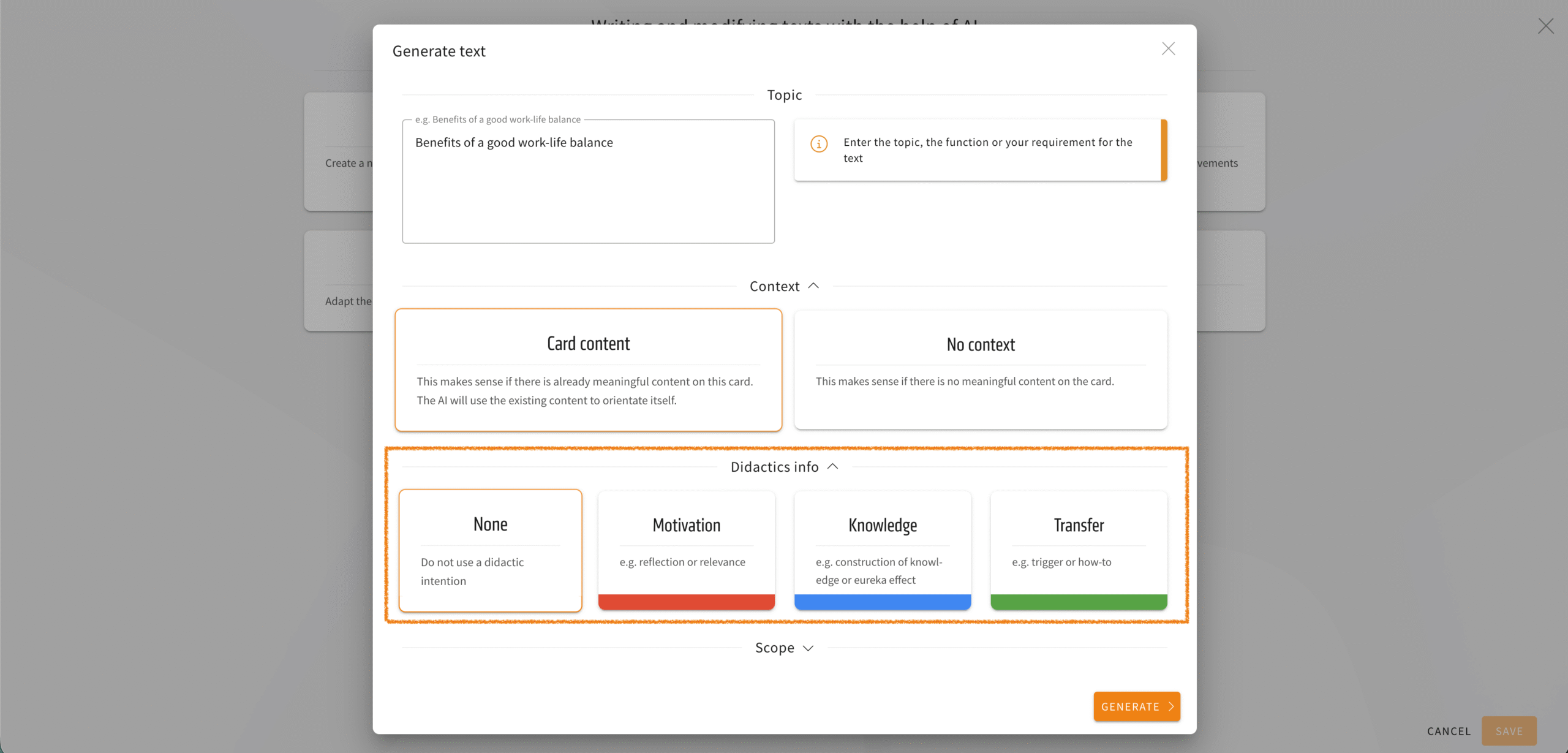
We have also made a cosmetic improvement to this menu: the individual options (context, didactics info, scope) can now be expanded or collapsed. This gives you a better overview.
DeepL in LXT: Translate multiple languages at once
- 16.10.2025
- 10.552.0
- Feature Improvement
- LXT Authoring Changes for authors
- translation DeepL
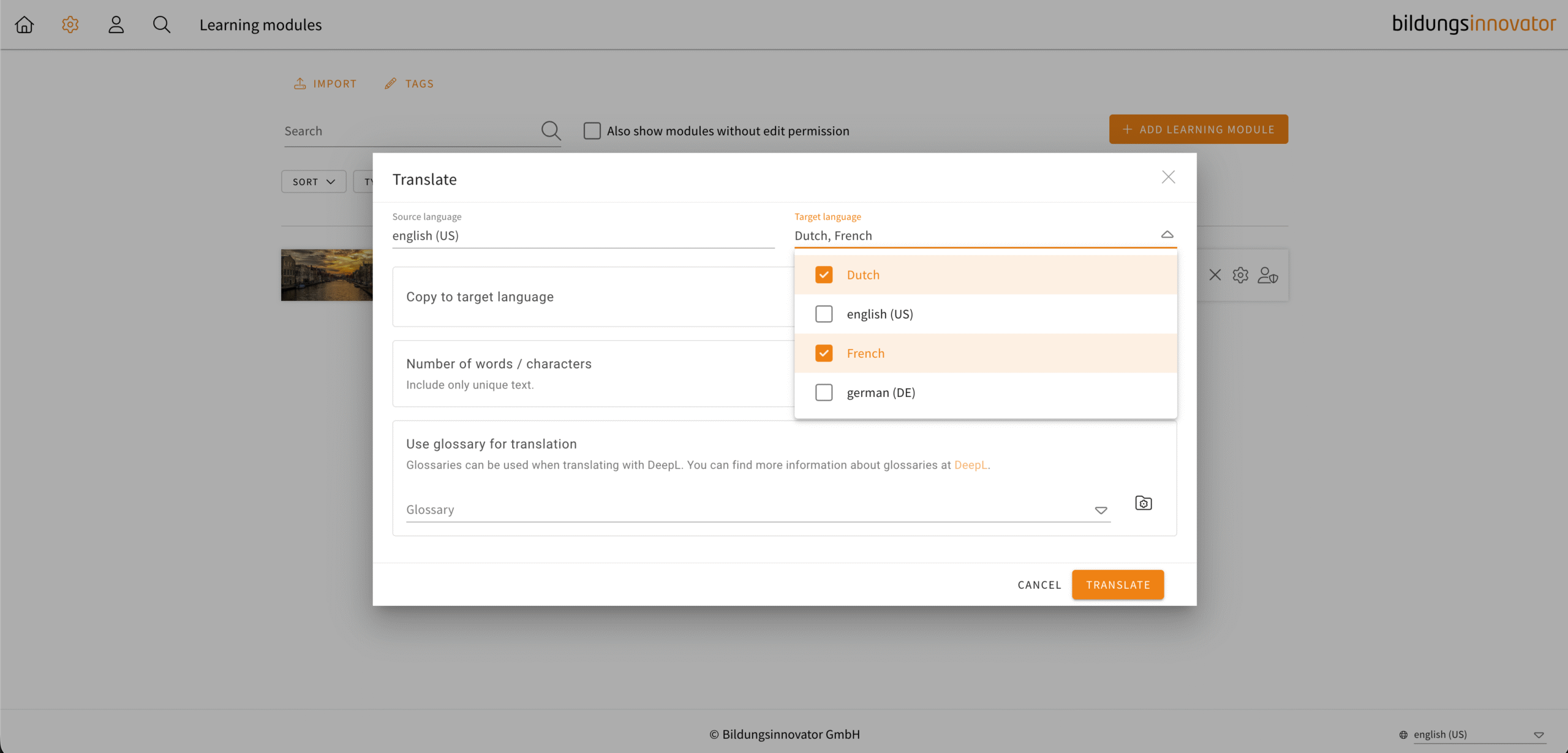
You can now translate your learning modules directly into multiple languages. In the translation dialogue, you can now select multiple languages as the target language. Copying into the target languages is then preset.
LXT creates a job in the background for each language. You will receive a notification for each completed translation, which you can find in your list of background jobs (Profile -> Background jobs).