Changelog
LXT A und E
Bulk adjustments in the learning module: All row backgrounds span the full width
- 28.07.2025
- 10.509.0
- New Feature
- LXT Authoring Changes for authors
- rows background bulk adjustment
You can now set for your entire learning module whether the existing rows backgrounds should be span the full width or not. This is useful, for example, if you want to work with backgrounds content (colours, images or videos) that you want have to display across the full width. But the reverse is also possible.
Adjusted height for flipcards
- 24.07.2025
- 10.508.0
- Feature Improvement
- LXT Authoring Changes for authors
- flipcard
If you have already worked with the flipcards, you have probably already had this “cosmetic” problem: if there are several flipcards in a row, the flipcards may be different sizes due to the different amount of content. This looked unattractive as the heights were different. In the flipcard style settings, there is a new setting ‘Adjust height to row’. If it is activated for all flipcards in a row, it ensures a uniform height.
Link editor: Mail link available
- 24.07.2025
- 10.507.0
- Feature Improvement
- LXT Authoring Changes for authors
- links email
If you previously wanted to create a mail link, this was only possible via the external link. And here you had to know the syntax (mailto…). Now we have simplified this by creating a new link type explicitly for emails.
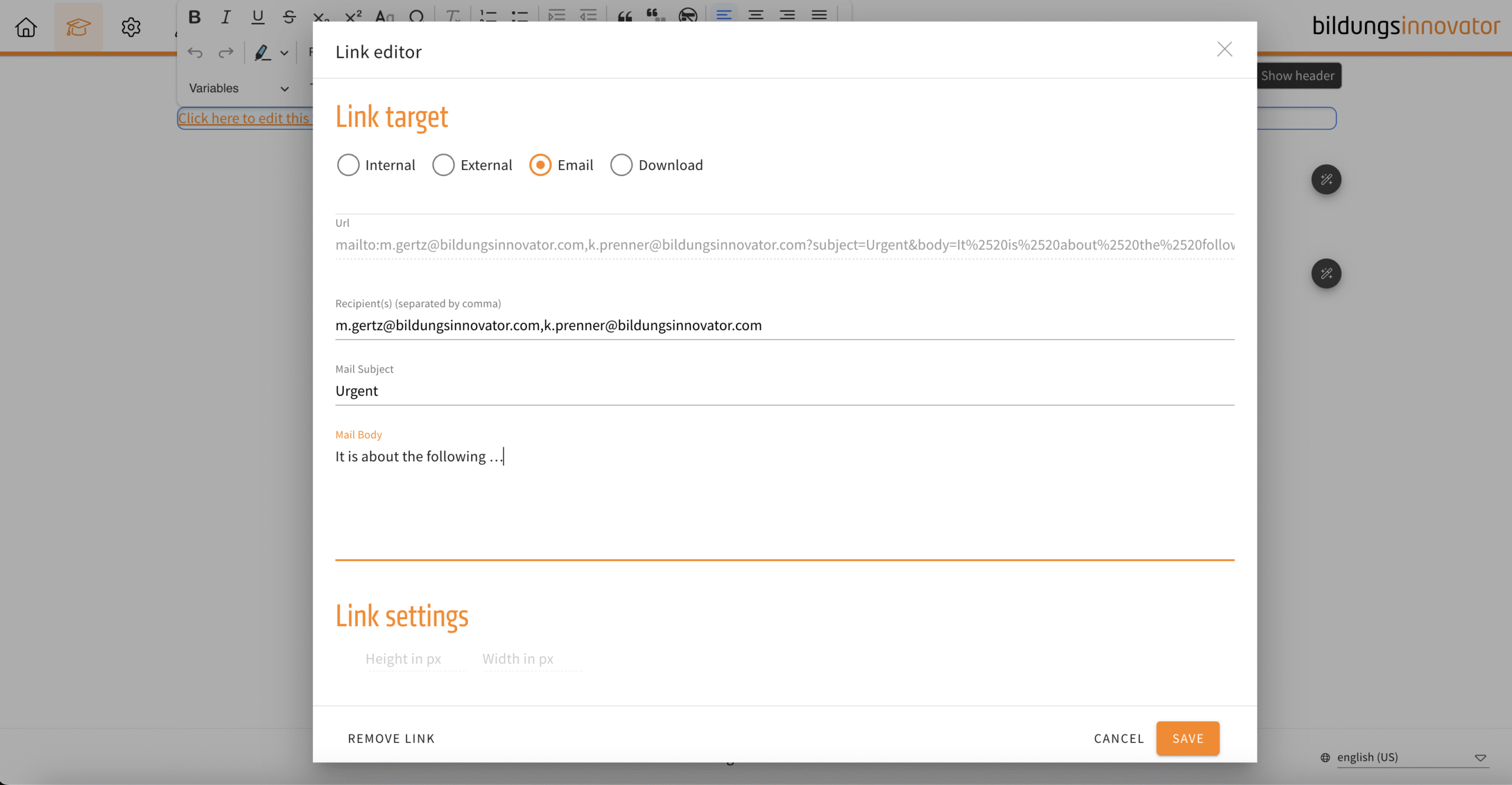
The following input fields are available:
- Recipient(s) (E-mail address, supports multiple recipients, separate with comma)
- Mail Subject
- Mail Body
Slideshow, flipcard, background switcher – inline links
- 24.07.2025
- 10.506.0
- Feature Improvement
- LXT Authoring Changes for authors
- slideshow Background Switcher flipcard links inline
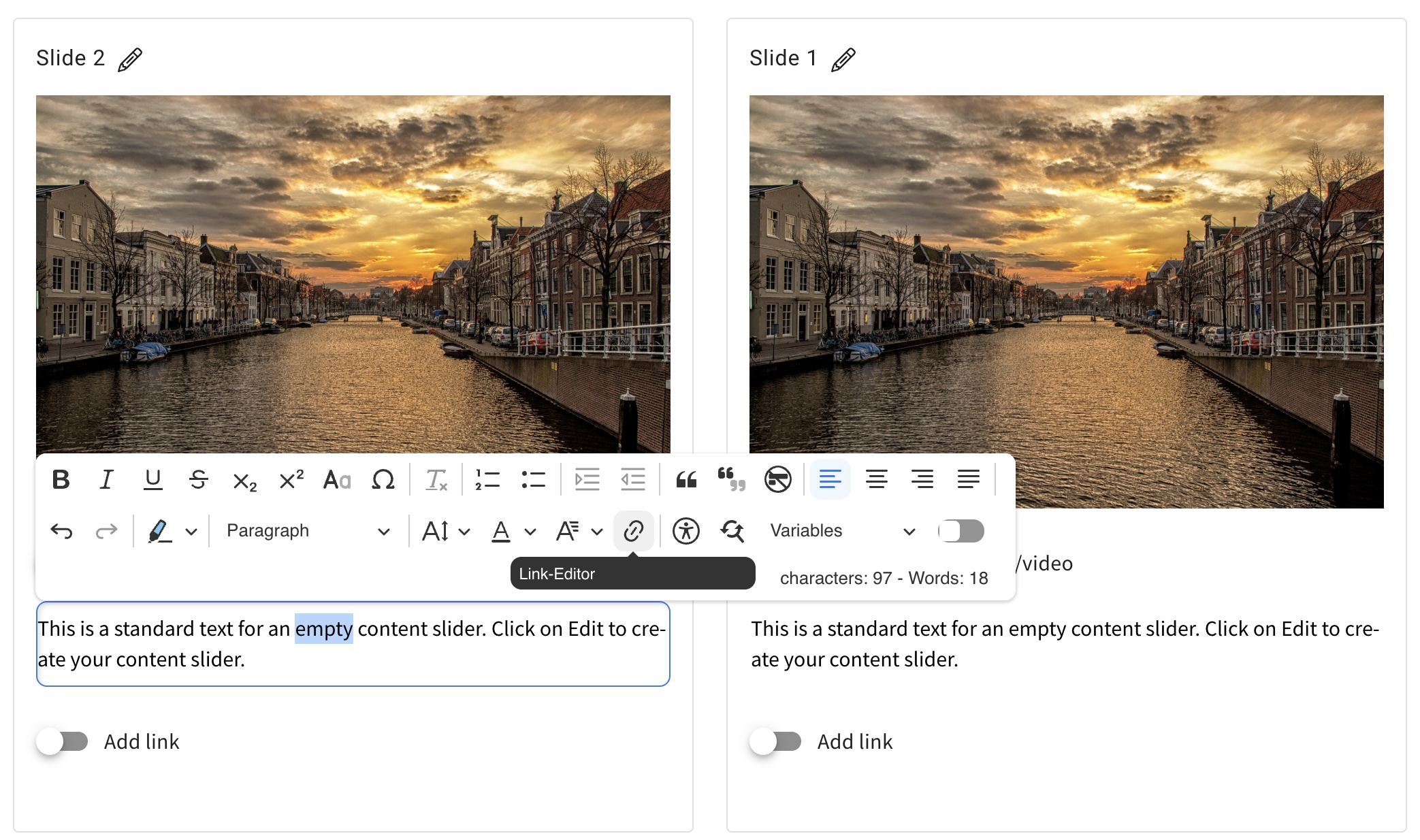
From now on you can set links in continuous text. Previously, this was only possible at the end of a slide/card/line. You set links in the continuous text in the same way as in the text editor.
Element channel – expert predefined
- 18.07.2025
- 10.505.0
- Feature Improvement
- LXT Engagement Changes for admins
- channel expert
When you create a channel, no expert was automatically stored. If you then forget to define an expert, the questions will go nowhere. To prevent this, you as the creator of the channel are now automatically defined as an expert. If you want to change this, define a different expert. However, an expert must always be specified (mandatory field).
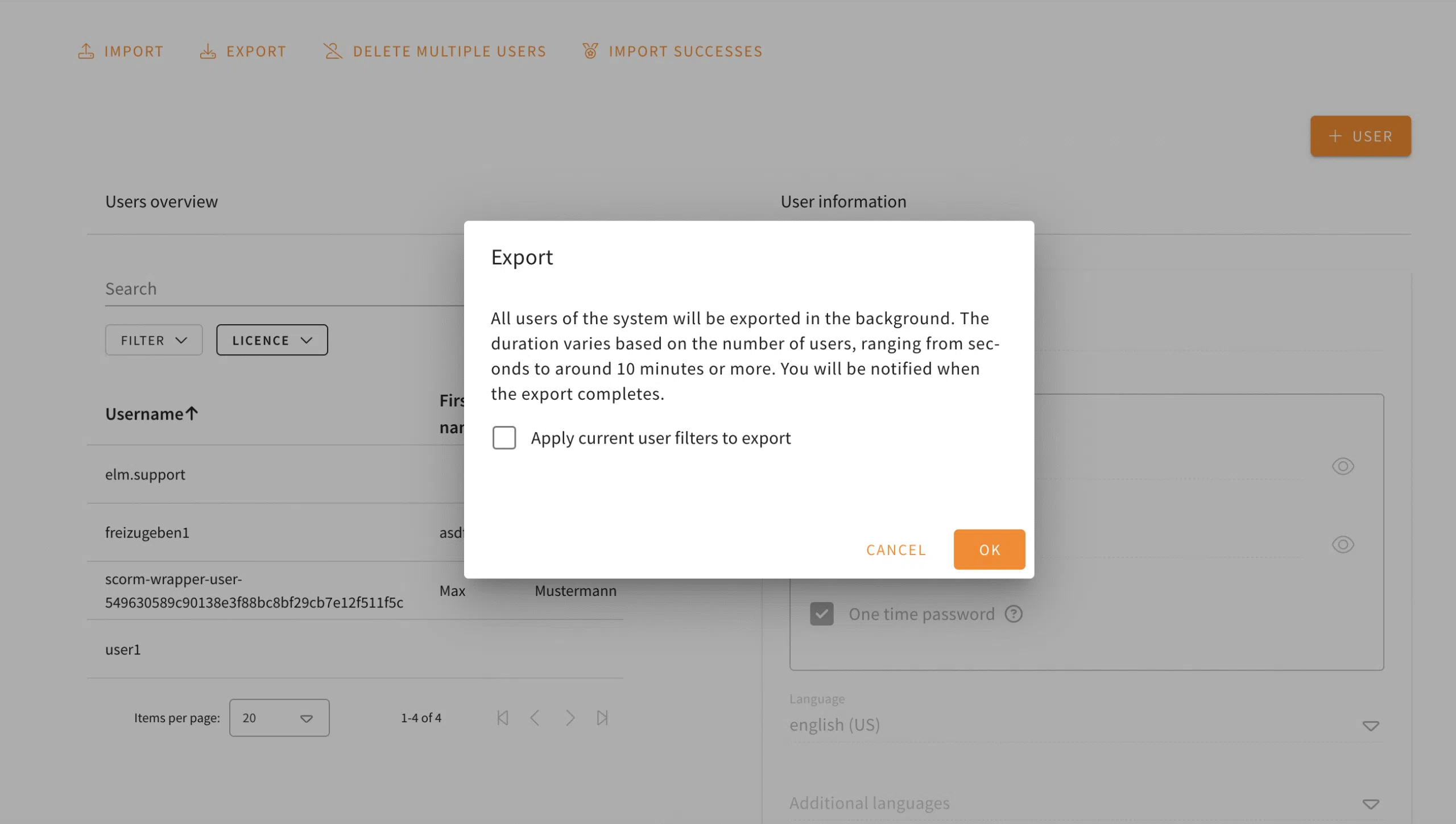
User-Export: Export with current filter settings
- 10.07.2025
- 10.496.0
- Feature Improvement
- LXT Authoring LXT Engagement Changes for authors Changes for admins
- user management user export
Do you need a user export that contains your current filter settings? From now on you can export the current user filter by clicking on the corresponding checkbox. SCORM wrapper users remain unaffected by this.