Changelog
LXT A und E
Current browser versions for optimal LXT use
Dear LXT users,
as you already know, up-to-date browser versions are essential for LXT to function smoothly and securely. That is why we are updating our system requirements again this year – so that you can continue to work securely and with the best possible performance.
Standard values for element paddings/spacings
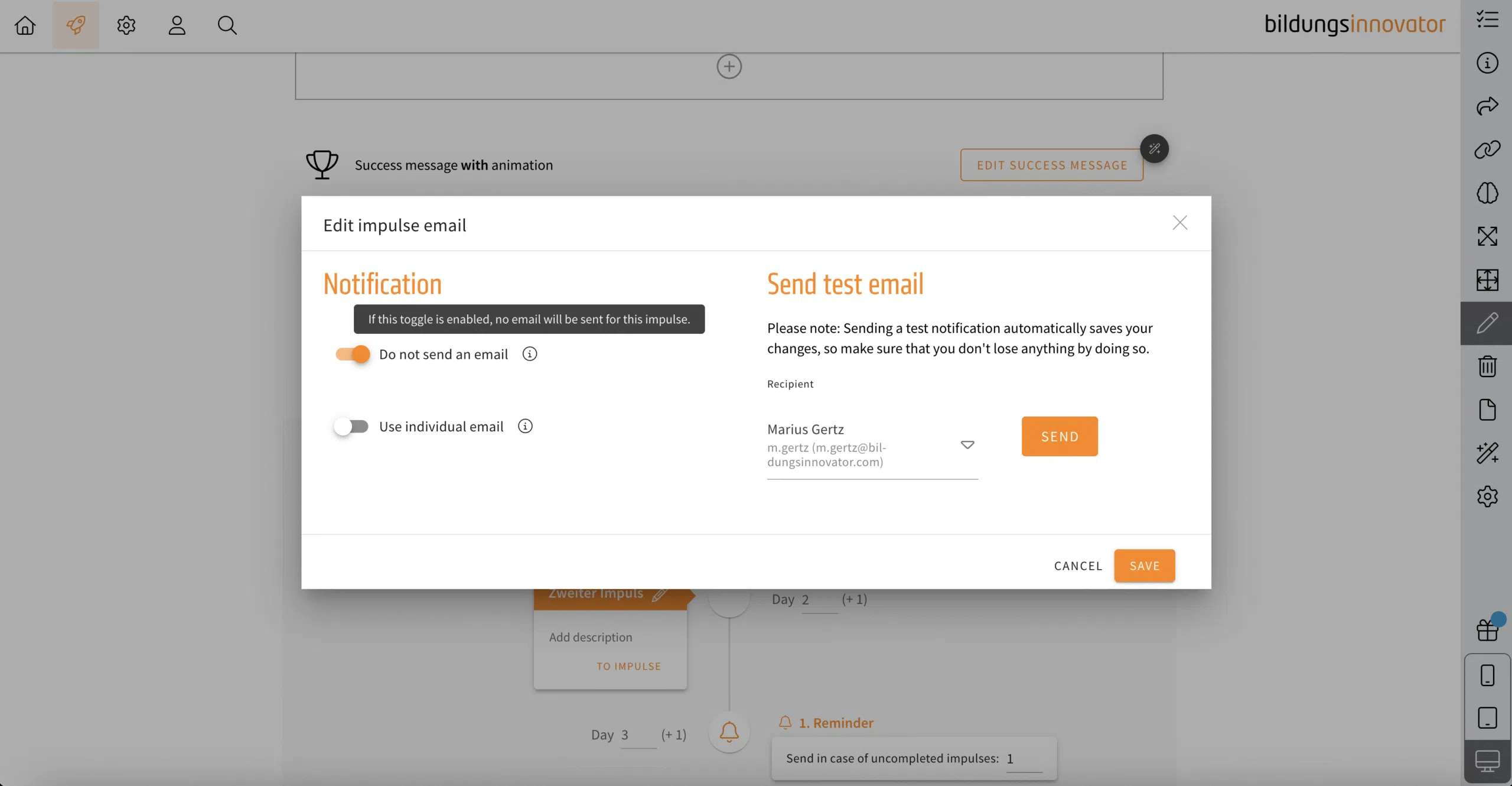
The default value for element spacing is 1, but it can sometimes be the case that a spacing of 2 makes more sense for tablets or smartphones. There is a new feature in the settings of learning modules to set this as the new default (for each viewport) and apply it to existing elements if necessary (checkbox).
Note: If you have already set different spacings, the current status will be lost if the checkbox is activated. The values for the spacings are overwritten for all existing elements. There is no check whether individual elements do not match to the previous specifications.
- Open the learning module settings.
- Click on tab „element paddings“.
- Customize the the spacings of each viewport (desktop, tablet, smartphone).
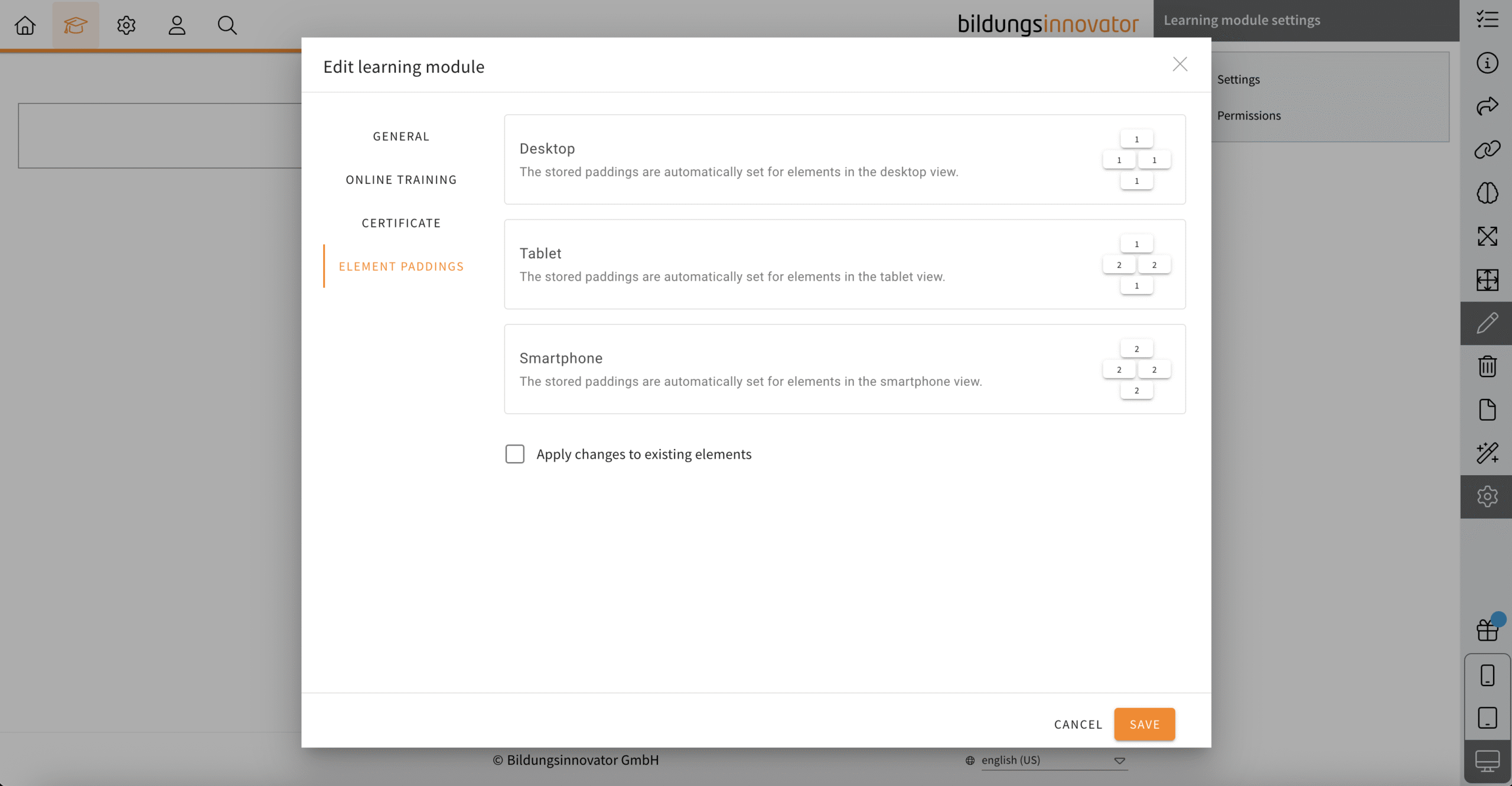
Transfer campaign: Deactivate e-mails for impulses
Decide now whether LXT should notify your learners by e-mail about a newly activated impulse or not. Decide individually for each impulse. You will find the option via the e-mail symbol on each impulse.