Changelog
LXT A und E
Inviting reviewers
Users that are allowed to edit content are now by default also able to invite others to review their content.
To do so you only have to give the mail address. If no user with that mail address exists, an user will be created and a mail is sent to the mail address allowing the user to set up a password.
All required permissions are then given to the existing user and they are informed by mail about the review opportunity.
If you do not want this option in your system, you could either disable the option “Allow invitation of new reviewers” in your feature management or contact support@bildungsinnovator.com.
How to invite reviewers
Users with edit permissions can either select “Share” in the sidebar on the right hand side and then select “Invite reviewer” or they can select “Invite reviewer” in the permissions dialog.
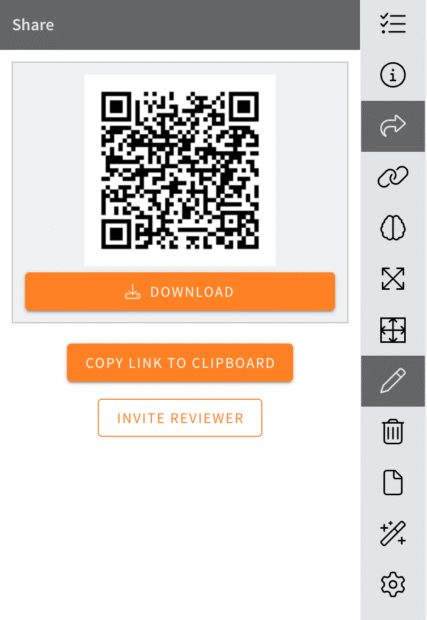
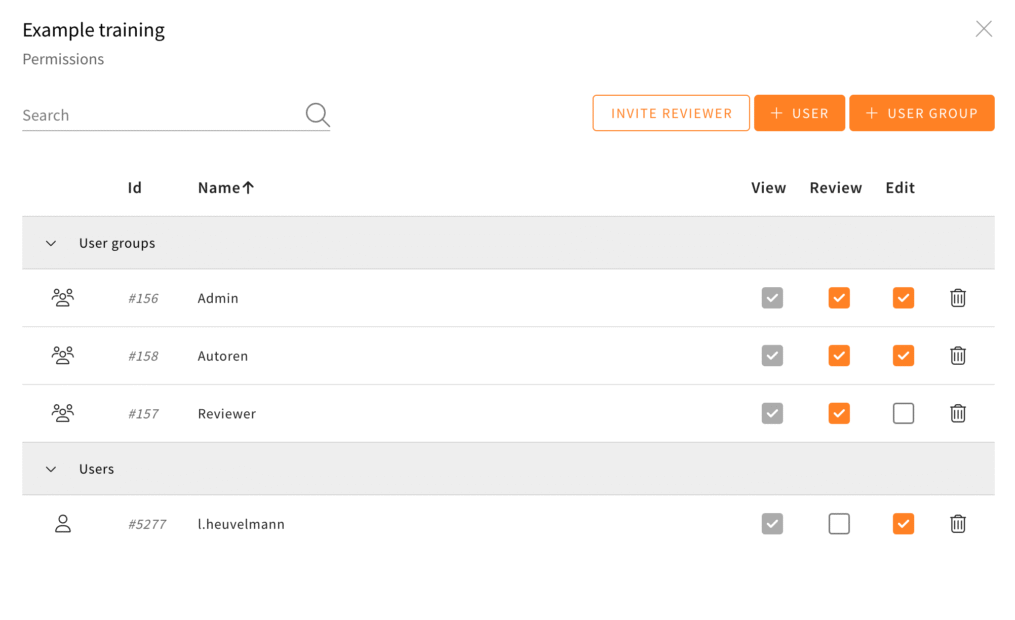
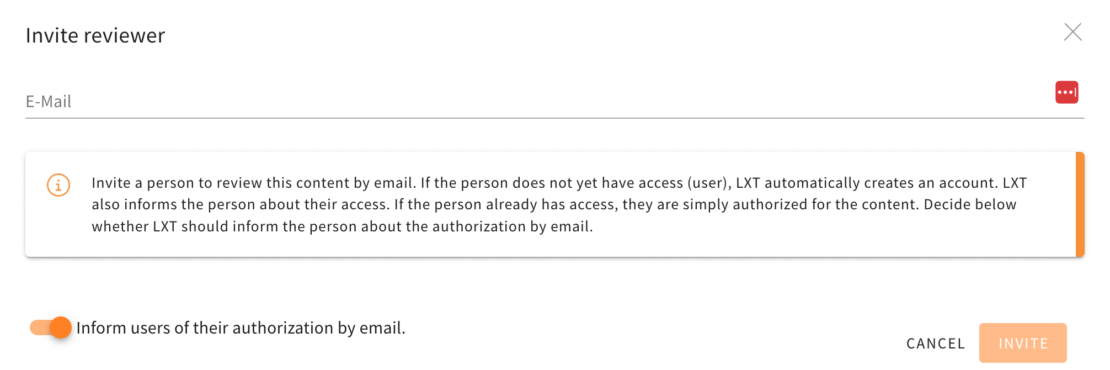
In both cases a new dialog opens that asks for a mail address.
The toggle “Inform users of their authorization by email.” allows to disable the mail informing the user about their new permission.
Newly created users always receive a mail containing their username and a link to set up a password.
Explicit distinction between American and British English available
There is now an explicit distinction between American and British English in LXT. Until now, the differences were hardly noticeable. However, in view of the demands of many native speakers, we want to meet this request.
During the rollout, we tried to find the correct variant for each language existing in LXT. If we have selected the wrong version for your use case, please let us know: support@bildungsinnovator.com.