Changelog
LXT Engagement
Search in multiple languages
The LXT search can now search across languages.
Up until now the search was limited to the language selected in the bottom right. With this update the search has a toggle named “Search in all languages”. If this toggle is enabled, results from all available languages are shown.
This works for both the classical keyword search and the semantic search available in Engagement tool setups with AI functionality.
AI generation of additional quizzes
This update is only available if you have AI enabled in your LXT setup. Please find more information on setting up AI in LXT here (in German).
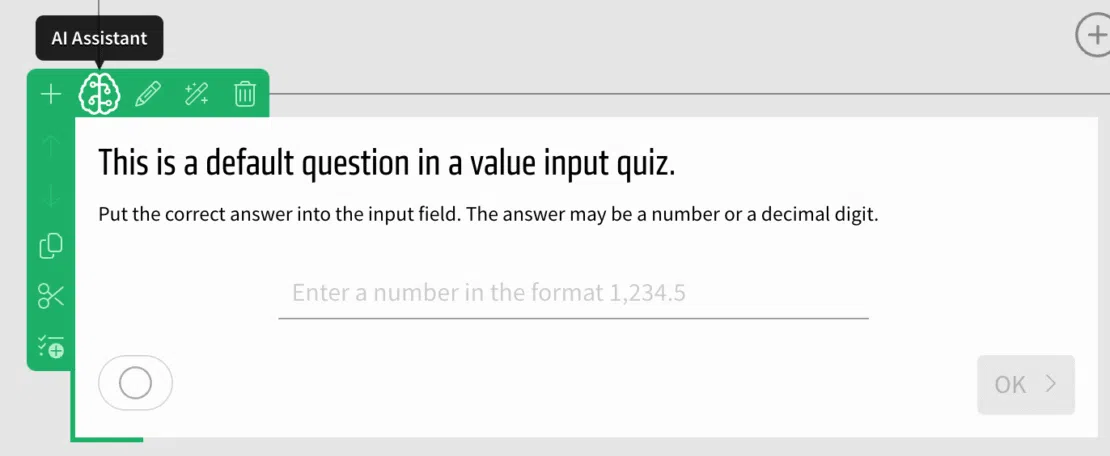
Use the AI to generate even more quizzes: Value input, value slider, date input and order quizzes can now automatically be generated.
To do so, create a quiz of one of these kinds, hover over it and select the “AI assistant” in the green or orange menu.
Hindi available as a new system language
You can now produce learning modules in the Hindi language. The language code in the language settings is “hi”.
User Management: Filter by licences
You can now also filter the user list in the user management according to licences. The following options are available:
- Authors
- Users
- Deactivated users
- Users from Bildungsinnovator