Changelog
Update to our Didactic AI
We are planning to roll out an update to our Didactic AI on Tuesday, the 27th of May.
The Didactic AI is a tool that allows you to automatically generate trainings based on a file you have uploaded. It requires the setup of AI functionality for your LXT environment, as documented (in German) here. Please contact our support if you are interested in adding AI functionality to LXT.
Please find an updated introduction to the Didactic AI in the video below. Following the video, we detail the updates to the Didactics AI from its previous version.
What’s new?
There are quite a few further changes to the Didactic AI, improving the behaviour in multiple ways:
More control over usage of input data
This update gives you more control of how the input data is used in your training. This also helps to improve the quality of the training content and avoid duplicate information.
To do so it replaces the step Learning goals with two steps Cards and Material assignment. The two new steps provide the user with more control over the output of the Didactic AI.
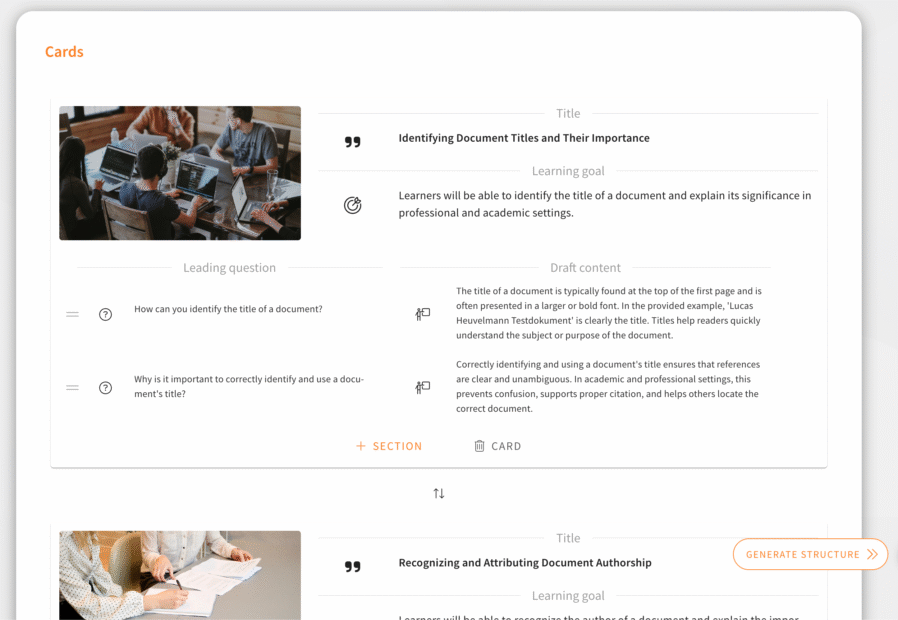
In the step Cards the Didactic AI suggests a list of cards for the training with the following properties for each of these cards:
- A title
- A learning goal
- Leading questions and a content draft for each leading question
You can add and remove cards and also change all of these properties for each card.
The next step Material assignment allows you to assign automatically detected segments from your input file(s) to each card. The Didactic AI also provides suggestions for this assignment.
Improved reliability of the training generation
LXT handles problems with the AI model better. This especially applies to problems with limits in the usage of the AI model. In this case the generation will not be cancelled but the system will wait some time and try again.
Low limits lead to slower generation, but should less likely to be a reason to cancel the generation.
In the Azure OpenAI this is the minimal recommended setup for models and limits:
- gpt-4o: 50.000 tokens and 300 requests per minute
- gpt-4o-mini: 200.000 tokens and 2.000 requests per minute
- whisper: 3 requests per minute
- dall-e: 3 requests per minute
Usage of images from input material
The Didactic AI is now able to include images from your uploaded files in the generated training. It does not use all of the images but tries to select images that have an additional value for the training content.
The correct selection of images and their usage is still work in progress. We have added the base functionality that this is possible but are going to improve the exact implementation in future updates.
Only images that have at least 100 Pixels in both width and height can be used right now.
Usage of notes in PowerPoint files
Notes added to a PowerPoint file are now also taken into account for the training content.
Videos: restricted controls
If videos are integrated into the slideshow or flipcard, it is usually more visually attractive if no control bar is displayed. For this purpose there is now also “restricted controls” in addition to the common control settings available in the settings for videos (available for video/audio, slideshow or flipcard).
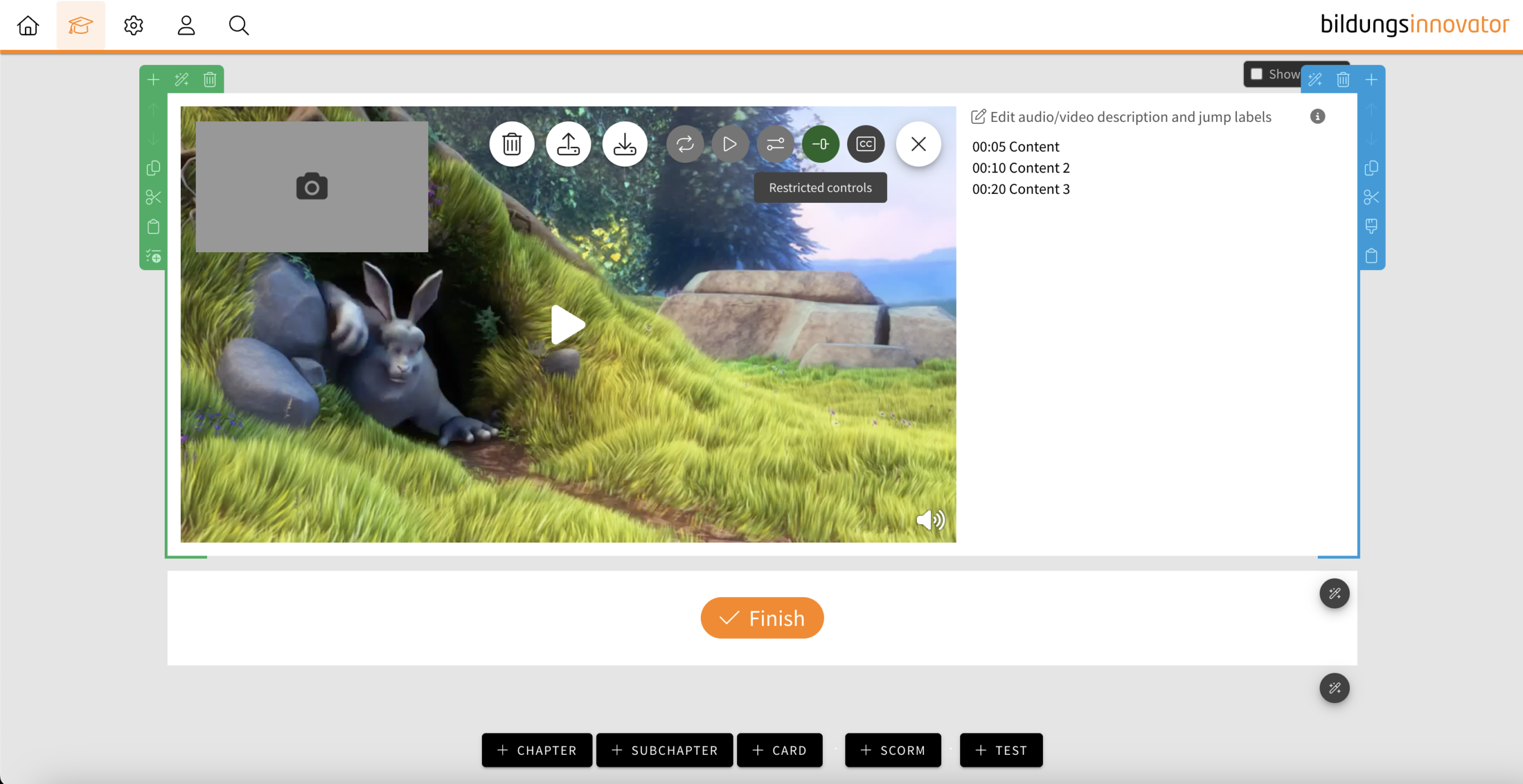
- If the feature is activated, a “mute button“ is only displayed at the bottom right when hovering over the video, which can be used to mute the video.
- If subtitles are also activated, the “subtitle” button is also displayed next to it when hovering.
- If the video is muted (e.g. by auto-play), the “mute button” is automatically displayed.
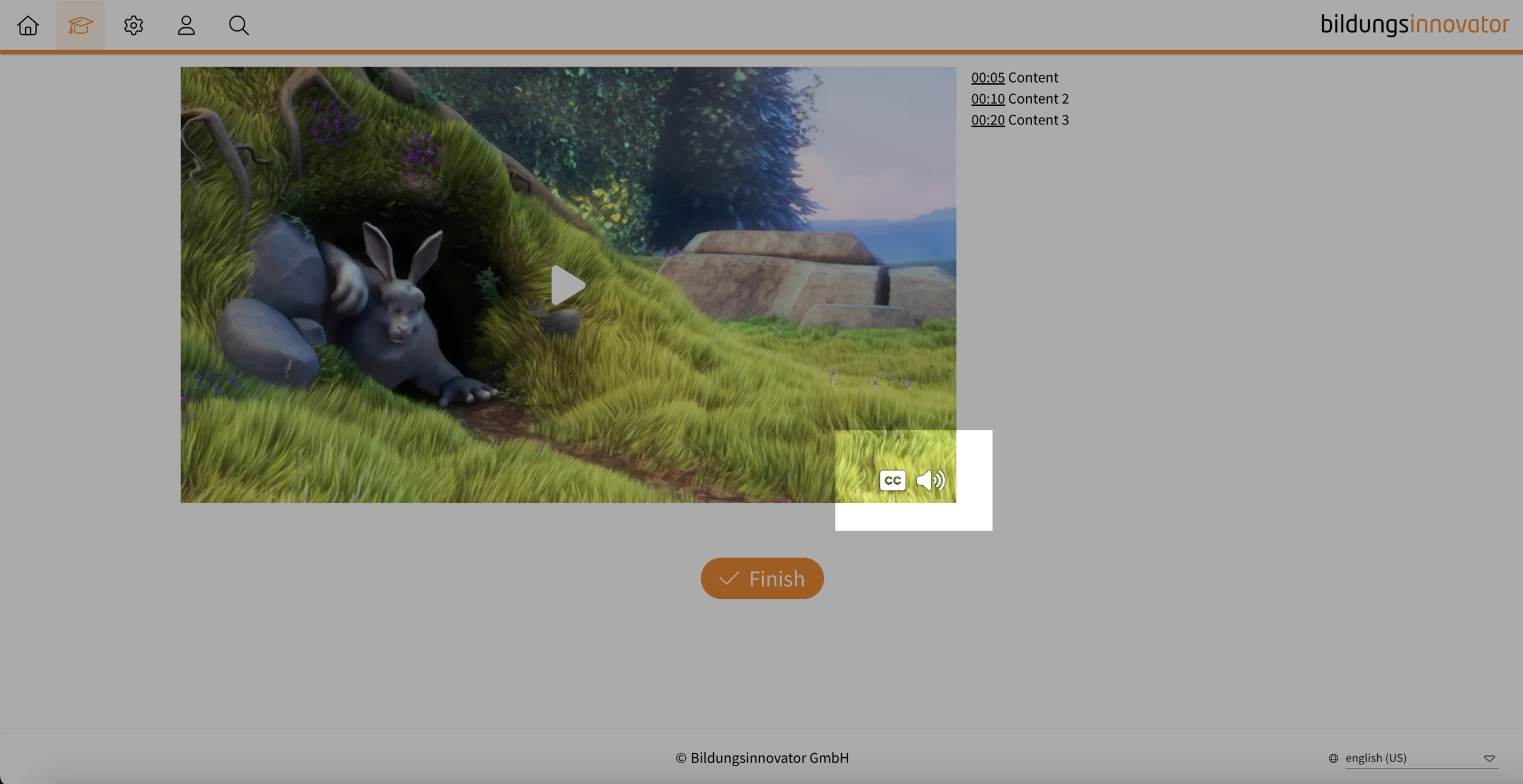
Notice: It is not possible to use both control element settings at the same time.
Tip: If your video does not have a soundtrack and you do not consider any control elements to be useful, deactivate the control elements completely. This will prevent your learners from unmuting the controls and then wondering why there is no sound.
Hindi available as a new system language
You can now produce learning modules in the Hindi language. The language code in the language settings is “hi”.
User Management: Filter by licences
You can now also filter the user list in the user management according to licences. The following options are available:
- Authors
- Users
- Deactivated users
- Users from Bildungsinnovator